Official SoftMaji InfoTech Utility

Trusted Enterprise
Verification

VeriMaji is a secure, enterprise-grade document verification system that authenticates official records in real time through a centralized cryptographic validation engine.

Get it on Google Play
Dual-Mode System
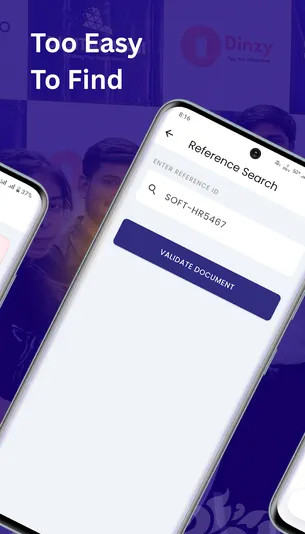
QR & Manual Reference Entry
VeriMaji Secure Document Verification
Features

Dual-Mode Verification & Security

Equipped with enterprise-grade tools to ensure every document is authentic, unaltered, and cross-referenced in real-time.

Instant QR Scanning

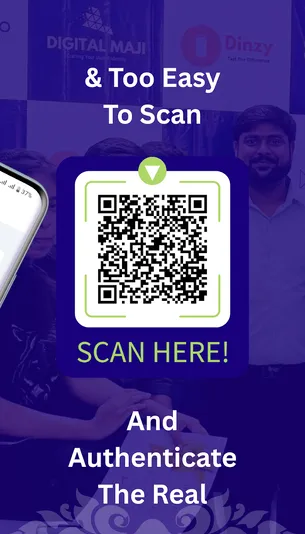
Utilize our high-speed camera parser to detect encrypted QR codes. The system automatically validates credentials via secure URLs in milliseconds.

Manual Reference Entry

For documents with damaged QR codes, users can manually input the unique Reference ID (e.g., SOFT-HR5467) to fetch real-time validation status.

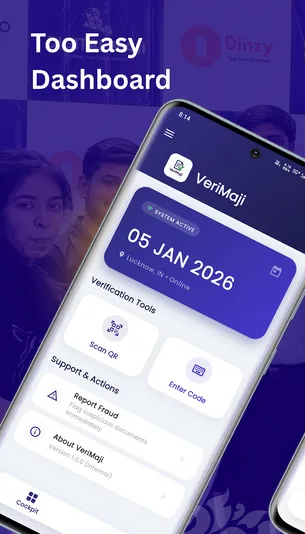
Digital Cockpit

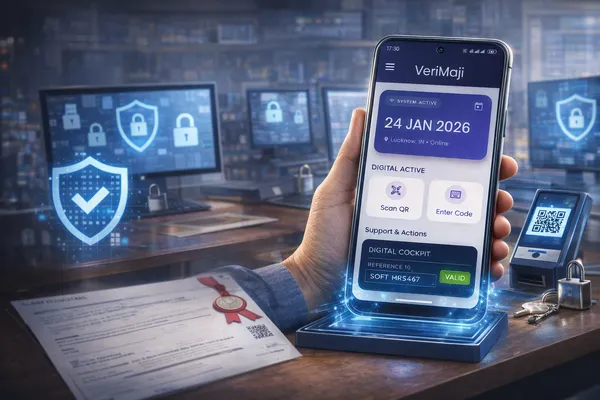
A professional dashboard displaying system connectivity (Online/Offline), current location, and timestamps for total operational transparency.

Tamper-Proof Records

Every query is cross-referenced against an immutable database. Distinguish between valid, expired, and revoked documents immediately.

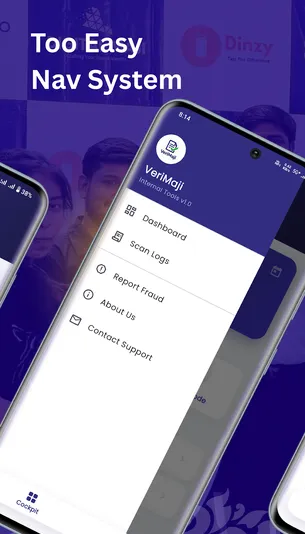
Scan Logs & History

Maintain a local history of verified documents. Access past scans for one-tap re-verification without needing the physical document.

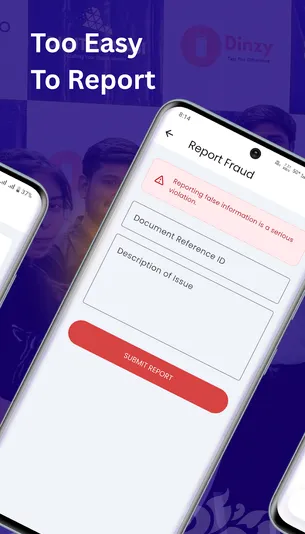
Fraud Reporting

Instantly flag suspicious documents and submit direct reports to the SoftMaji legal and security team via the built-in reporting tool.

Protocol

Simple.Secure. Instant.

VeriMaji follows a strict cryptographic protocol to ensure that every document is cross-referenced against immutable records.

Initialize Cockpit

Open the app and verify system readiness using the Digital Cockpit, confirming secure node connectivity.

Scan or Manual Entry

Scan the encrypted QR code or manually enter the Unique Reference ID for verification.

Digital Verification Seal

The system validates records and applies an Official Digital Seal confirming authenticity.

Cryptographic Validation

Every request is securely cross-verified against immutable cryptographic records.

Audit & History Logs

Each verification is timestamped and stored locally for traceability and re-verification.

Fraud Reporting

Suspicious or invalid documents can be instantly reported to the authorized security team.

Security & Compliance

Built on Trust & Cryptographic Integrity

VeriMaji is engineered with enterprise-grade security controls to ensure document authenticity, data integrity, and compliance across all verification workflows.

End-to-End Secure Validation

All verification requests are transmitted through encrypted channels and processed via authenticated secure gateways.

Central Cryptographic Database

Every document is validated against an immutable central database, ensuring authenticity and eliminating tampering risks.

Tamper-Proof Audit Trails

Each verification is logged with timestamps and system metadata, creating a reliable audit trail for compliance and review.

Privacy-First Architecture

VeriMaji does not store personal user data. Camera access is used strictly for QR scanning during active verification.

Fraud Detection Protocols

Invalid, expired, or suspicious documents are immediately flagged, enabling rapid fraud identification and reporting.

Enterprise Compliance Ready

Designed to align with internal security policies, compliance frameworks, and enterprise verification standards.

VeriMaji is built for organizations that demand accuracy, traceability, and zero-tolerance toward document fraud.

User Interface

Digital Cockpit Preview

Explore the secure, intuitive interface designed for rapid verification and operational transparency.

Why VeriMaji

Beyond Verification. Built for Trust.

VeriMaji is not just a document scanning tool - it is a secure, auditable, and enterprise-ready verification system designed to eliminate fraud at its source.

Traditional Verification
  • Manual and time-consuming verification
  • High risk of human error and document forgery
  • No centralized audit trail or traceability
  • Difficult to detect expired or revoked documents
VeriMaji Advantage
  • Instant verification in milliseconds
  • Cryptographically secured validation
  • Tamper-proof audit trails and logs
  • Centralized, enterprise-grade verification system

VeriMaji is purpose-built for organizations that demand accuracy, accountability, and zero tolerance toward document fraud.

Secure Your Node Today

Ready to eliminate document fraud?

Download the official VeriMaji utility by SoftMaji InfoTech. Start validating certificates and ID cards with enterprise-grade cryptographic security.

Android 7.0+ Optimized
Lightweight (25MB)
Stable v1.0.0 Release
Support Center

Frequently Asked Questions

Have questions about the VeriMaji cryptographic verification node? Find answers to common technical queries here.

Need more help?

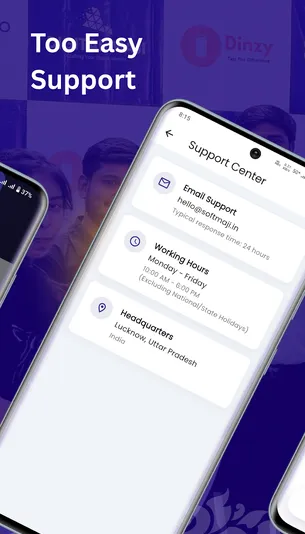
Our security and legal team at SoftMaji InfoTech is ready to assist you with enterprise integration.

Contact Support

Yes. To ensure absolute data integrity, the application must connect to the SoftMaji Central Cryptographic Database in real-time to validate the authenticity of the document.

VeriMaji features a Dual-Mode Verification System. If the QR code is unreadable, you can manually input the unique Reference ID (e.g., SOFT-HR5467) to retrieve the validation status.

Privacy is our priority. The app requires camera permission solely for scanning purposes. VeriMaji does not store personal data on external servers without authorized enterprise authentication.

If a document is flagged as invalid or suspicious, you can use the built-in Fraud Reporting Mechanism to instantly notify the SoftMaji legal and security team.

The application is built on the Flutter framework and is optimized for Android devices running Version 7.0 (Nougat) and up.